

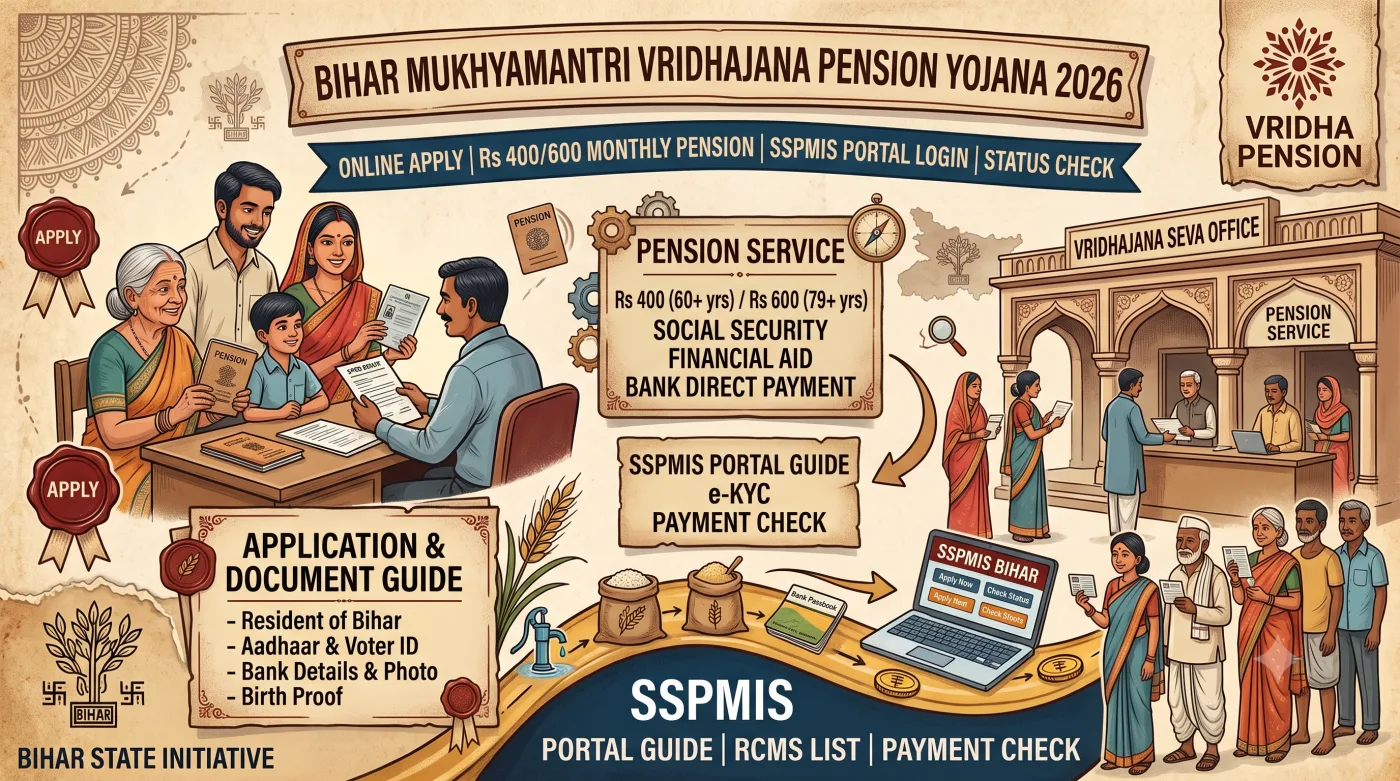
1. Scheme Overview & Statutory Framework
In traditional Indian society, elderly family members have historically commanded reverence and care within the joint family structure. However, rapid socio-economic shifts, urbanization, migration of younger family members, and escalating healthcare expenditures have created acute economic vulnerabilities for senior citizens. Without a steady source of post-retirement income, many elderly individuals find it difficult to afford essential medicines, nutritious food, spectacles, mobility aids, and day-to-day personal necessities.
Addressing this fundamental challenge, the Government of Bihar, led by Chief Minister Nitish Kumar, officially enacted the Mukhyamantri Vridhajana Pension Yojana (MVPY) on April 1, 2019. The initiative operates under the administrative supervision of the Directorate of Social Security within the Department of Social Welfare.
In 2026, the administrative infrastructure supporting MVPY is powered by an end-to-end digital governance architecture. From online Aadhaar demographic verification to digital life authentication via e-Labharthi (elabharthi.bih.nic.in) and electronic payment reconciliation through the Public Financial Management System (PFMS), the entire delivery pipeline is transparent, automated, and tamper-proof.
विधिक एवं प्रशासनिक पृष्ठभूमि (Statutory Principles):
यह योजना बिहार राज्य सामाजिक सुरक्षा पेंशन नियमावली के अंतर्गत विनियमित है। इसका मूल उद्देश्य प्रत्येक वृद्ध नागरिक को वित्तीय सुरक्षा प्रदान करना है ताकि उन्हें अपने सम्मानजनक जीवनयापन और दैनिक दवाओं के लिए किसी अन्य व्यक्ति पर निर्भर न रहना पड़े। प्रशासन द्वारा यह सुनिश्चित किया जाता है कि संपूर्ण प्रक्रिया में बिचौलियों का कोई हस्तक्षेप न हो।
Key Objectives of Mukhyamantri Vridhajana Pension Yojana
- Guaranteed Economic Independence: Ensuring that senior citizens receive regular monthly financial support for their personal healthcare, nutritional, and living needs.
- Universal Inclusivity: Eliminating economic filters such as BPL scorecards or caste limitations to provide universal social security to all non-pensioners aged 60 and above.
- Direct Benefit Transfer (DBT): Eliminating cash handovers and intermediary corruption by routing 100% of disbursed funds directly to beneficiaries through Aadhaar-seeded accounts.
- Protection of Human Dignity: Upholding the constitutional right to live with dignity and self-respect in one's golden years.
- Enhanced Support for Super Seniors: Providing an augmented financial allowance for citizens aged 80 years and above to offset escalated medical expenditures.
2. Financial Benefits & Monthly Pension Structure
The Government of Bihar has instituted a dual-tier pension payment structure based on age thresholds to accommodate the escalating healthcare and mobility costs associated with advanced aging:
| Beneficiary Category & Age Group | Monthly Pension Rate | Annual Financial Entitlement | Disbursement Channel |
|---|---|---|---|
|
Senior Citizens (Aged 60 to 79 Years) वरिष्ठ नागरिक वर्ग (60 से 79 वर्ष) |
₹400/- per month | ₹4,800/- per year | Direct Benefit Transfer (DBT) into Aadhaar-seeded Bank Account |
|
Super Senior Citizens (Aged 80 Years & Above) अति-वरिष्ठ नागरिक वर्ग (80 वर्ष या अधिक) |
₹600/- per month | ₹7,200/- per year | Direct Benefit Transfer (DBT) into Aadhaar-seeded Bank Account |
पेंशन राशि का स्वचालित उन्नयन (Automatic Transition from ₹400 to ₹600):
जब कोई पंजीकृत लाभार्थी 79 वर्ष की आयु पूर्ण करके 80वें वर्ष में प्रवेश करता है, तो पोर्टल पर संचित जन्मतिथि के अनुसार उनकी पेंशन राशि स्वतः ₹400 से बढ़कर ₹600 प्रति माह हो जाती है। इसके लिए किसी भी नए आवेदन अथवा प्रखंड कार्यालय में जाने की आवश्यकता नहीं होती।
3. Comparative Analysis: MVPY vs. Other Pension Schemes in Bihar
To prevent confusion among the various state and central welfare schemes operational in Bihar, the following matrix contrasts the essential parameters of each program:
| Scheme Name | Target Beneficiary | Minimum Age | BPL Mandate | Monthly Pension |
|---|---|---|---|---|
| Mukhyamantri Vridhajana Pension (MVPY) | All non-pensioner elderly residents of Bihar | 60 Years | No (Universal) | ₹400 / ₹600 |
| Indira Gandhi National Old Age Pension (IGNOAPS) | Elderly members belonging to certified BPL families | 60 Years | Yes (BPL Required) | ₹400 / ₹500 |
| Laxmibai Social Security Pension Scheme | Widows residing in Bihar with annual income below ₹60k | 18 Years | Income Limit ₹60,000 | ₹400/- |
| Bihar State Disability Pension Scheme | Persons with certified 40% or more benchmark disability | No Age Limit | Disability Certificate Req. | ₹400/- |
4. Detailed Eligibility & Ineligibility Guidelines
To ensure that public funds reach only genuine and eligible beneficiaries, the Department of Social Welfare has laid down strict qualifying and disqualifying criteria:
(A) Mandatory Eligibility Requirements
- Permanent Domicile of Bihar: The applicant must be a bona fide resident of Bihar. Proof of residency is validated through the Bihar electoral roll (Voter EPIC card) or local administrative verification.
- Minimum Age of 60 Years: The applicant must have attained 60 years of age on or before the application date. Age is officially computed through the date of birth recorded in the UIDAI Aadhaar database and the Election Commission of India (ECI) Voter Card.
- Operative Individual Savings Bank Account: The applicant must hold an active savings account in their sole name with a scheduled commercial, regional rural, or cooperative bank operating within Bihar. Joint accounts are strictly prohibited.
- Aadhaar-NPCI DBT Mapping: The bank account must be actively linked with the applicant's 12-digit Aadhaar number and seeded on the National Payments Corporation of India (NPCI) mapper.
(B) Exclusions: Who is NOT Eligible
The following individuals are legally barred from claiming benefits under MVPY:
- Retired employees of the Central Government, State Government, Municipal Corporations, Panchayati Raj institutions, or Public Sector Undertakings who receive a statutory government pension.
- Recipients of Family Pension granted to dependents of deceased government servants.
- Beneficiaries drawing a regular monthly retirement pension under the Employees\' Provident Fund Organisation (EPFO / EPS-95).
- Individuals already receiving another social security pension (e.g., IGNOAPS, Widow Pension, or Disability Pension). Dual receipt of government pensions is a punishable offense under state audit rules.
⚠️ अपात्रता संबंधी चेतावनी (Statutory Exclusion Notice): यदि कोई व्यक्ति पहले से किसी भी प्रकार की सरकारी अथवा ईपीएफओ पेंशन प्राप्त कर रहा है, तो वह इस योजना के लिए अपात्र है। गलत तथ्य प्रस्तुत करके पेंशन प्राप्त करना विधिक रूप से दंडनीय है तथा वसूली की कार्रवाई की जा सकती है।
5. Mandatory Document Checklist & Scanning Specifications
Prior to initiating the online application on the SSPMIS portal, applicants must ensure that all supporting credentials meet the strict file format and dimension requirements specified by the state portal:
| S.No. | Document Name | Key Verification Purpose | Permitted Format & Size Limit |
|---|---|---|---|
| 1 | Aadhaar Card (आधार कार्ड) | Demographic authentication, identity proof, and date of birth validation. | PDF (Under 100 KB) |
| 2 | Voter ID Card / EPIC (मतदाता पहचान पत्र) | Proof of permanent Bihar domicile and age verification against electoral records. | PDF (Under 100 KB) |
| 3 | Bank Passbook (बैंक पासबुक) | Front page showing account holder name, individual account number, and valid IFSC code. | PDF (Under 100 KB) |
| 4 | Aadhaar Consent Document (सहमति पत्र) | Official self-declaration form bearing the signature or thumb impression of the applicant. | PDF (Under 100 KB) |
| 5 | Passport Photograph (पासपोर्ट फोटो) | Recent colored photograph displaying a clear frontal face view against a light background. | JPG / JPEG (Under 50 KB) |
| 6 | Active Mobile Number (मोबाइल नंबर) | Receipt of application registration SMS, verification notices, and DBT sanction alerts. | Operational SIM Card |
6. Step-by-Step Online Application Process on SSPMIS Portal
Submitting an application for the Mukhyamantri Vridhajana Pension Yojana on sspmis.bihar.gov.in is fully computerized. Follow this sequential 10-step walkthrough to ensure error-free registration:
Step 1: Access the Official SSPMIS Bihar Portal
Launch your web browser and navigate to the official portal: https://www.sspmis.bihar.gov.in/. Ensure you are connected to the secure government domain.
Step 2: Initiate MVPY Registration
On the primary navigation bar, locate and click the "Register for MVPY" link. This action will redirect you to the initial demographic verification interface.
Step 3: Execute Aadhaar Demographic Validation
Enter your administrative details: select your District (जिला) and Block (प्रखंड). Under the Scheme dropdown, confirm Mukhyamantri Vridhajana Pension Yojana. Enter the EPIC Number (वोटर कार्ड संख्या), full name as printed on the Voter Card, 12-digit Aadhaar Number, full name as recorded on the Aadhaar Card, and the exact Date of Birth. Click the blue "Validate Aadhaar" button.
Step 4: Enter Personal & Family Credentials
Upon successful demographic matching, the primary application form opens. Enter the applicant\'s father\'s or husband\'s name, mother\'s name, social category (General, BC, EBC, SC, ST), gender, and active mobile contact number.
Step 5: Provide Residential Address Details
Select your Sub-Division (अनुमंडल). If residing in rural areas, choose your Gram Panchayat, Village, and Ward Number. For urban applicants, select your Municipality / Municipal Corporation and specify the Ward and Mohalla. Provide your exact 6-digit postal PIN code.
Step 6: Enter Banking & IFSC Credentials
Enter the 11-character alphanumeric IFSC code of your bank branch. The bank name and branch location will populate automatically. Carefully input your individual Savings Account Number twice to eliminate typographical errors.
Step 7: Upload Verified Supporting Documents
Attach the digitized files: Aadhaar Card PDF (< 100 KB), Bank Passbook front page PDF (< 100 KB), Voter EPIC Card PDF (< 100 KB), Signed Aadhaar Consent Document PDF (< 100 KB), and Applicant Passport Photograph JPG (< 50 KB).
Step 8: Application Review & Preview Check
Click "Save & Preview". Carefully audit the generated summary sheet. Verify spelling, parentage, bank account digits, and address details. If any discrepancies appear, utilize the "Edit" function to perform instant revisions.
Step 9: Final Declaration & Submission
Select the self-declaration checkbox confirming that you are not a government pensioner. Click the "Final Submit" button to transmit the application directly into the Block Development Officer\'s administrative portal.
Step 10: Download Acknowledgement Slip (पावती रसीद)
The system will generate a printable Acknowledgement Receipt bearing a unique Application Reference Number. Print this receipt or archive it digitally as a PDF for future status tracking and reference.
💡 आवेदन प्रक्रिया सारांश (Pure Devanagari Summary): पोर्टल पर आवेदन करते समय आवेदक को अपना आधार नंबर, वोटर कार्ड नंबर, बैंक खाता संख्या एवं आईएफएससी कोड सही-सही भरना होगा। सभी दस्तावेज़ों की सुस्पष्ट पीडीएफ फाइल (100 केबी से कम) अपलोड करना अनिवार्य है। सबमिट करने के बाद प्राप्त पावती रसीद को सुरक्षित रखें।
7. Offline Application Procedure via Block RTPS Counters
For elderly citizens residing in rural areas without access to digital infrastructure or cyber facilities, the Government of Bihar maintains an active offline application window through the Right to Public Services (RTPS / लोक सेवाओं का अधिकार) framework:
- Visit the Block Office RTPS Counter: Report in person to the RTPS counter established at your jurisdictional Block Development Office or consult the Executive Assistant (कार्यपालक सहायक) stationed at your local Gram Panchayat Bhavan.
- Obtain the Prescribed Application Form (प्रपत्र): Request the standard physical application proforma for the Mukhyamantri Vridhajana Pension Yojana free of cost.
- Complete Application Fields: Fill in applicant credentials, residential address, Voter EPIC number, Aadhaar number, and banking details in legible block letters.
- Affix Signatures or Thumb Impressions: Affix signatures or left-hand thumb impressions on self-attested photocopies of your Aadhaar Card, Voter Card, Bank Passbook, and Aadhaar Consent declaration.
- Submit & Collect Official Receipt: Hand over the physical dossier to the RTPS desk. The operator will digitize your application into the SSPMIS database immediately and issue an official computer-generated acknowledgment slip containing your tracking number.
8. Verification Workflow & Sanction Lifecycle (प्रशासनिक सत्यापन चक्र)
Once logged into the SSPMIS system, every application navigates a structured four-tier statutory verification lifecycle to ensure compliance:
प्रशासनिक सत्यापन के 4 प्रमुख चरण (4 Verification Stages):
- Stage 1: Document Scrutiny at Block Social Security Cell: The Block Social Security Assistant audits uploaded PDFs for legibility, valid bank IFSC codes, and demographic conformity between Aadhaar and Voter records.
- Stage 2: Field Ground Verification (क्षेत्रीय भौतिक सत्यापन): The assigned Panchayat Secretary or Revenue Staff (Halka Karamchari) executes on-ground verification to confirm that the applicant is a living, genuine resident of the village and does not draw any government retirement pension.
- Stage 3: Recommendation & Sanction by BDO: Upon receiving a positive field report, the Block Development Officer digitally approves the application and recommends it to the Sub-Divisional Officer (SDO).
- Stage 4: Beneficiary ID Generation & DBT Enrollment: The Directorate of Social Security generates a permanent Beneficiary ID and Sanction Number. The record is entered into the monthly electronic payroll cycle for DBT pension credits.
9. How to Track Application & Payment Status Online
Applicants and registered beneficiaries can track the exact status of their application, sanction order, or monthly payment credits in real time:
- Visit the official portal at sspmis.bihar.gov.in.
- Hover over the "Beneficiary Status" tab on the navigation menu and click "Search Beneficiary Status".
- Select your respective District (जिला) and Block (प्रखंड) from the dropdown filters.
- Choose any one search parameter:
- Application ID: The tracking number printed on your acknowledgment slip.
- Beneficiary ID: The permanent pension identification number issued upon approval.
- Bank Account Number: Your registered savings account number.
- Aadhaar Number: Your 12-digit UID number.
- Voter EPIC Number: Your electoral photo identity card number.
- Enter the corresponding number, solve the security captcha, and click the "Search" button.
- The system will display your application milestone (e.g., Under Scrutiny at Block, Approved, Sanctioned) along with historical DBT transaction dates and Unique Transaction Reference (UTR) numbers.
ℹ️ भुगतान स्थिति जांचने की सुविधा (Devanagari Note): लाभार्थी घर बैठे अपने मोबाइल अथवा कंप्यूटर से यह देख सकते हैं कि किस महीने की पेंशन राशि उनके खाते में भेजी गई है तथा उसका यूटीआर (UTR) नंबर क्या है।
10. Annual Biometric Life Certificate (e-KYC) Verification via e-Labharthi
To prevent fraudulent pension withdrawals in the name of deceased citizens, the Government of Bihar mandates an Annual Life Authentication (जीवितता प्रमाणीकरण / Annual e-KYC) for every registered pensioner once every calendar year. Failure to complete this biometric audit leads to temporary withholding of monthly disbursements.
Three Official Modes for Completing Annual e-KYC
Mode 1: CSC / Vasudha Kendra via Biometric Fingerprint Scanner
The pensioner visits any nearby Common Service Center (CSC) with their Aadhaar Card and Bank Passbook. The operator accesses elabharthi.bih.nic.in, retrieves the beneficiary record, and performs instant fingerprint authentication on a registered biometric device. A nominal fee of ₹5/- is prescribed by the government.
Mode 2: Iris Eye-Pupil Authentication for Senior Citizens
In cases where fingerprint ridges have faded due to advanced age or manual labor, Iris Scanners are deployed. Eye pupil scanning achieves a 99.8% match rate on the UIDAI server and instantly fulfills the life certificate mandate.
Mode 3: Physical Verification at Block Social Security Cell
If biometric authentication fails entirely, the pensioner can appear in person before the Block Development Officer or Assistant Director of Social Security. Authorized officers can grant a manual life authentication override (भौतिक सत्यापन छूट) in the system to resume pension payments.
⚠️ वार्षिक ई-केवाईसी संबंधी महत्वपूर्ण निर्देश: पेंशन निर्बाध रूप से जारी रखने के लिए प्रत्येक वर्ष ई-लाभार्थी पोर्टल पर बायोमेट्रिक ई-केवाईसी करवाना अनिवार्य है। यदि किसी कारणवश फिंगरप्रिंट मैच न हो, तो आइरिस स्कैनर अथवा प्रखंड कार्यालय में व्यक्तिगत उपस्थिति दर्ज कराकर सत्यापन कराया जा सकता है।
11. Bank Account NPCI & Aadhaar DBT Seeding Guide
More than 80% of reported pension disbursement failures are caused not by portal errors, but by dormant or unseeded bank accounts. Under Government of India Direct Benefit Transfer (DBT) guidelines, welfare funds are routed via the Aadhaar Payment Bridge System (APBS) managed by the National Payments Corporation of India (NPCI).
Steps to Verify & Enable NPCI Seeding on Your Bank Account
- Verify Online Seeding Status: Log in to the official UIDAI portal (
myaadhaar.uidai.gov.in) and select the "Bank Seeding Status" utility to verify whether your account displays an "Active" status. - Visit Your Home Branch: If inactive, report in person to your bank branch—such as Uttar Bihar Gramin Bank (UBGB), Dakshin Bihar Gramin Bank (DBGB), State Bank of India (SBI), Punjab National Bank (PNB), Bank of Baroda, or Canara Bank.
- Submit the NPCI Mandate Form: Request the official "Application for Aadhaar Seeding / Mandate for NPCI Mapping for DBT" form.
- Attach Documents & Authorize Biometrically: Attach self-attested photocopies of your Aadhaar Card and Passbook. Authorize the mandate using biometric fingerprint verification. NPCI mapping is activated within 24 to 48 business hours.
🏦 बैंक खाता एनपीसीआई सीडिंग सूचना: पेंशन का पैसा केवल उसी बैंक खाते में अंतरित होता है जो आधार से जुड़ा होने के साथ-साथ एनपीसीआई (NPCI) मैपर पर डीबीटी हेतु सक्रिय हो। बैंक शाखा जाकर यह सुनिश्चित करें कि आपका खाता डीबीटी इनेबल्ड है।
12. Troubleshooting Common Portal Errors & Rejection Causes
Applicants and pensioners encountering technical roadblocks on the SSPMIS or e-Labharthi systems can resolve common errors using the following diagnostic guidelines:
Error 1: "Aadhaar Demographic Authentication Failed"
Root Cause: The name, gender, or date of birth typed on the SSPMIS interface differs from the central UIDAI Aadhaar database record.
Resolution: Cross-check your original physical Aadhaar card. Ensure that every character, middle name, and spacing matches the Aadhaar record exactly before clicking "Validate".
Error 2: "PFMS / Bank Account Invalid or Rejected"
Root Cause: The branch IFSC code has changed due to commercial bank mergers, or the account number provided is invalid or inactive.
Resolution: Obtain the newly allocated valid IFSC code from your bank branch. Submit an updated passbook photocopy to the Block Social Security Cell to rectify the bank master record on SSPMIS.
Error 3: "Aadhaar Number Already Exists"
Root Cause: The applicant\'s Aadhaar has already been registered in the database under MVPY or an existing welfare pension scheme.
Resolution: Navigate to "Search Beneficiary Status" on sspmis.bihar.gov.in and search using your Aadhaar number to view your existing Beneficiary ID. If a previously rejected file exists, request the Block Office to unlock the record.
Error 4: Dormant / Inoperative Account Rejections
Root Cause: No transactions have been executed in the savings account for over 24 months, triggering automated bank freezing.
Resolution: Visit your branch, execute a nominal deposit/withdrawal transaction with fresh KYC documents, and reactivate the account.
13. District-Wise Administrative Coverage Across Bihar
The Mukhyamantri Vridhajana Pension Yojana is actively implemented across all 38 Districts, 101 Sub-Divisions, and 534 Blocks of Bihar. Dedicated Social Security Cells (सामाजिक सुरक्षा कोषांग) function within every District Collectorate (समाहरणालय):
| Administrative Division (प्रमंडल) | Covered Districts (जिले) | Local Administrative Authority |
|---|---|---|
| Patna Division | Patna, Nalanda, Bhojpur, Buxar, Rohtas, Kaimur (Bhabhua) | District Collectorate Social Security Cell & Jurisdictional Block Offices |
| Tirhut Division | Muzaffarpur, Sitamarhi, Sheohar, Vaishali, East Champaran, West Champaran | District Collectorate Social Security Cell & Jurisdictional Block Offices |
| Saran Division | Saran (Chhapra), Siwan, Gopalganj | District Collectorate Social Security Cell & Jurisdictional Block Offices |
| Darbhanga Division | Darbhanga, Madhubani, Samastipur | District Collectorate Social Security Cell & Jurisdictional Block Offices |
| Kosi Division | Saharsa, Supaul, Madhepura | District Collectorate Social Security Cell & Jurisdictional Block Offices |
| Purnia Division | Purnia, Katihar, Araria, Kishanganj | District Collectorate Social Security Cell & Jurisdictional Block Offices |
| Bhagalpur Division | Bhagalpur, Banka | District Collectorate Social Security Cell & Jurisdictional Block Offices |
| Munger Division | Munger, Jamui, Khagaria, Lakhisarai, Begusarai, Sheikhpura | District Collectorate Social Security Cell & Jurisdictional Block Offices |
| Magadh Division | Gaya, Jehanabad, Aurangabad, Nawada, Arwal | District Collectorate Social Security Cell & Jurisdictional Block Offices |
14. How to Download the Official District & Village Beneficiary List
Citizens can download the comprehensive list of sanctioned pensioners registered within their Gram Panchayat or municipal ward via public reports on the SSPMIS portal:
- Visit the primary portal at sspmis.bihar.gov.in.
- Click the "Reports" tab situated on the main horizontal menu.
- Select the "District Wise Beneficiary Status Report" link.
- Click on your respective District name among the 38 administrative districts.
- Select your respective Block from the displayed list.
- Click on your Gram Panchayat name to view the entire nominal roll of sanctioned pensioners, complete with parentage, registration date, and current disbursement health.
📑 लाभार्थी सूची डाउनलोड करने की विधि: आम नागरिक पोर्टल के 'Reports' सेक्शन में जाकर अपने जिले, प्रखंड और ग्राम पंचायत का चयन कर अपने गाँव के सभी पेंशनरों की आधिकारिक सूची देख सकते हैं।
15. Complementary Social Safety Net: National Family Benefit Scheme (NFBS)
In addition to the monthly old-age pension, the Government of Bihar administers the National Family Benefit Scheme (राष्ट्रीय पारिवारिक लाभ योजना - NFBS). Under this complementary program, if the primary breadwinner (male or female aged between 18 and 59 years) of a BPL family passes away, a one-time lump-sum financial grant of ₹20,000/- is provided to the surviving household to mitigate immediate economic hardship. This benefit can be availed of independently of senior citizen pensions.
16. Official Grievance Redressal & Departmental Directory
Applicants and pensioners encountering administrative delays, payment rejections, or wrongful denials can escalate their grievances through the following official administrative channels:
- State Toll-Free Helpline: 1800-345-6262 (Operational Monday to Saturday, 10:00 AM to 5:00 PM)
- Official Departmental Email: sspmisbihar@gmail.com
- Administrative Nodal Agency: Department of Social Welfare, Government of Bihar (समाज कल्याण विभाग, बिहार सरकार)
- Directorate Address: Directorate of Social Security, Apna Ghar, Bailey Road, Patna - 800001, Bihar.
- District Grievance Redressal: Submit formal written representations to the Assistant Director, District Social Security Cell (सहायक निदेशक, जिला सामाजिक सुरक्षा कोषांग) at your local District Collectorate or the Block Development Officer (BDO).
जनहित में सतर्कता सूचना (Public Fraud & Vigilance Advisory)
मुख्यमंत्री वृद्धजन पेंशन योजना बिहार सरकार द्वारा पूर्णतः जनहित में निःशुल्क संचालित है। इस योजना का लाभ दिलाने के नाम पर किसी भी अनधिकृत व्यक्ति, दलाल अथवा बिचौलिए को कोई रिश्वत अथवा अवैध शुल्क न दें। किसी भी अवैध मांग की स्थिति में तुरंत जिला समाहरणालय के सामाजिक सुरक्षा कोषांग अथवा राज्य टोल-फ्री हेल्पलाइन 1800-345-6262 पर शिकायत दर्ज कराएं। सभी ऑनलाइन आवेदन केवल आधिकारिक पोर्टल sspmis.bihar.gov.in पर ही करें।
User Discussion & Comments (0)
No comments yet. Be the first to leave a comment below!
Leave a Comment / Ask a Question: